
gate · volume and frequency sequencer
Make any sound move with the beat.
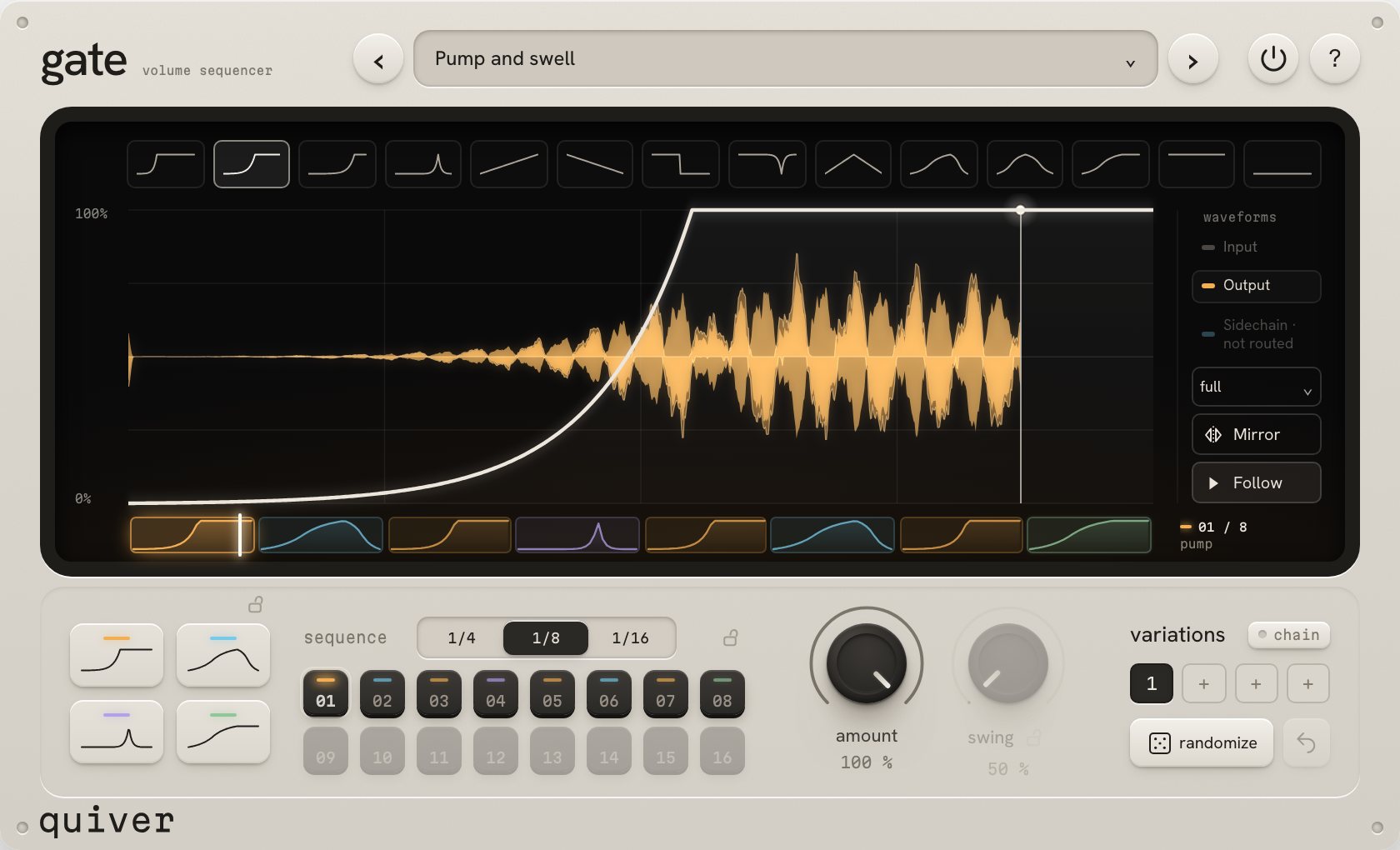
gate shapes pads, chords and vocals step by step, in time with your song.
€29 · every update free
Four curves. Up to sixteen steps.
Divide the bar into four, eight or sixteen steps. Assign one of four curves to each step, or leave it silent. Edit the curves to make ducks, pulses, rises and falls.
Sequence individual bands.
Apply a curve to the full signal or a frequency band. Duck the low end of a loop while leaving the highs alone, or use different rhythms for the lows, mids and highs.
Randomize and store patterns.
Randomize generates steps, curves and swing. Undo recent changes, store four variations and switch between them during playback.
Try gate
Turn sound on, then select New variation or edit the steps. This is a browser demo; the plug-in runs in your DAW.
Buy gate
VAT included in Europe. In the US and Canada, sales tax is added at checkout.
- Mac (macOS 11 or later, Apple silicon and Intel) as AU and VST3. Windows 10 or later, 64-bit, as VST3.
- Works on 3 of your computers at once.
- 14-day refund period.
Paddle, our reseller, takes the payment and sends the receipt. Your licence and download arrive by email straight after. Terms.
Downloads and licence
- Compatibility
- Mac (macOS 11 or later, Apple silicon and Intel) as AU and VST3. Windows 10 or later, 64-bit, as VST3. Requires a DAW that supports AU or VST3. On Windows, gate's window uses Microsoft Edge WebView2, which current Windows already has.
- Installation
- Licence and download links arrive by email after purchase. On Mac, run the installer. On Windows, copy the
quiver gate.vst3folder toC:\Program Files\Common Files\VST3. Open gate in your DAW and drop your licence file onto its licence sheet. - Activation
- Internet access is required for activation. The licence is checked daily when online; gate can run offline for up to 30 days.
- Computers
- Three of your own computers at once. Manage activations and downloads at quiver.fm/account.
- Updates and refunds
- Updates are free. For a refund, reply to your Paddle receipt within 14 days. Terms.
Support: support@quiver.fm