by hand
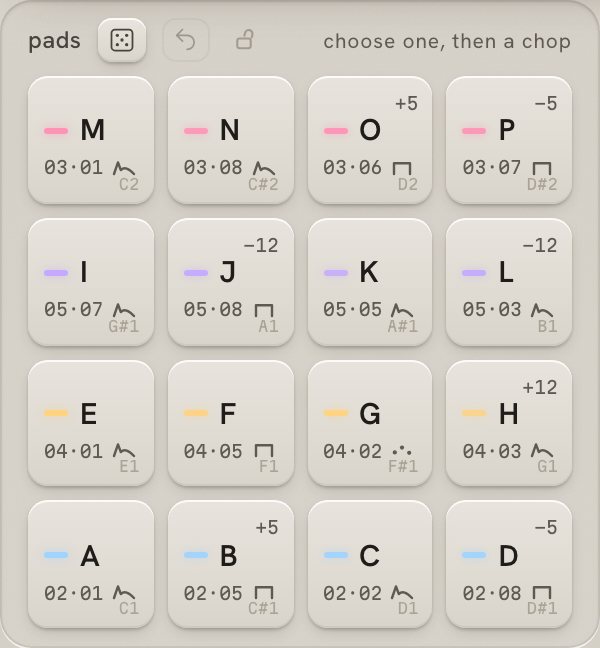
The pads sit on C1 to D#2, like a drum rack. Play them from a keyboard or pads, or write them in your DAW's piano roll.

carve · granular instrument
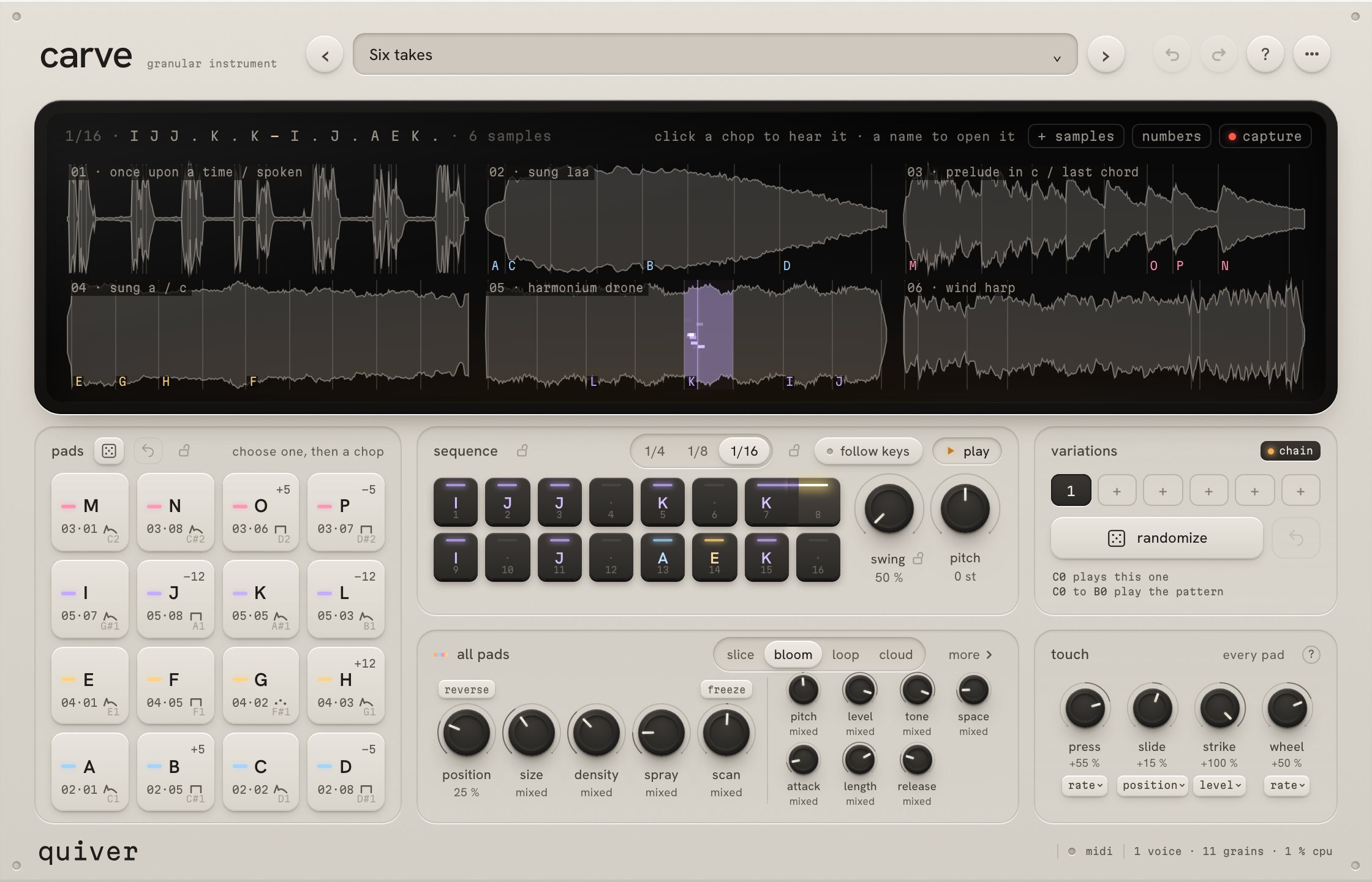
Drop in up to six samples and give a moment of them to each pad. Play the pads by hand, let the sequencer play them, or both.
€99 · 14-day free trial
Drop up to six recordings on carve's screen. It finds their transients and shows each pad's letter on the moment it plays. A factory library of voices, speech, chords and textures is built in.
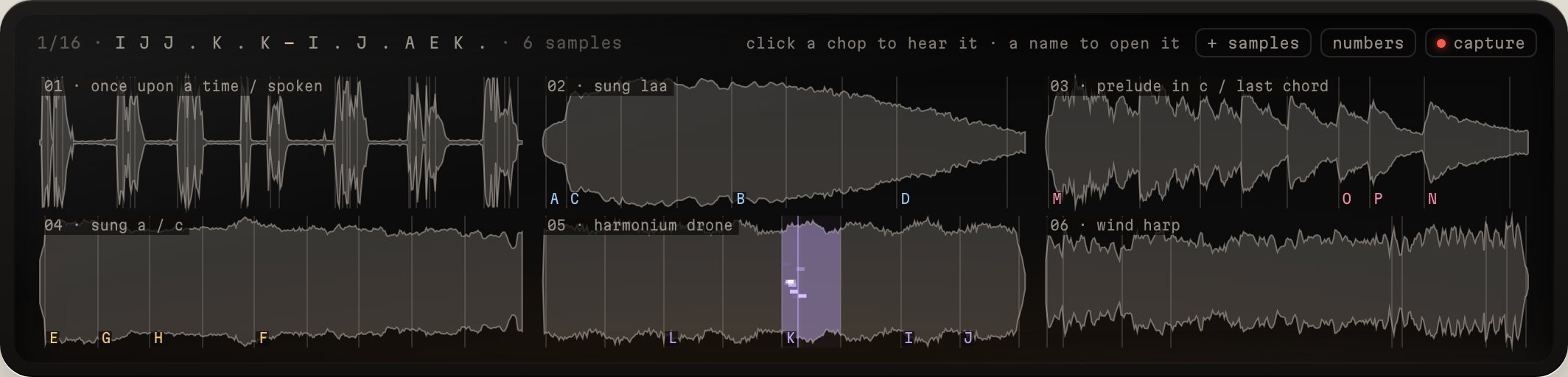
Each new sample fills a row of four pads with its transients. Choose a pad, then click any moment on the screen to give it that sound. Every pad keeps its own sound, and the pads' dice deal new moments when you want a fresh kit.
One bar of quarter notes, eighths or sixteenths. With a pad chosen, a tap gives it a step. Drag across steps to merge them into one longer note, scroll on a step to change its pitch, and swing it from straight to hard.
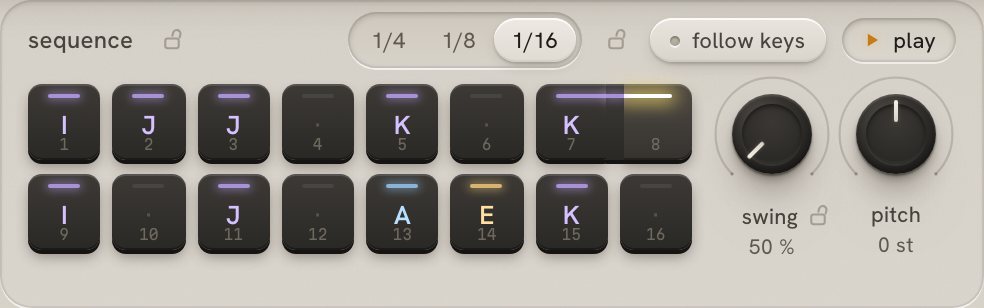
The same sixteen pads answer your hands and the pattern, at the same time.
The pads sit on C1 to D#2, like a drum rack. Play them from a keyboard or pads, or write them in your DAW's piano roll.
Press play, or hold C0 in a clip: the pattern runs in time with your song for as long as the key is held.
Your hands and the pattern share the pads. With follow keys on, the pattern plays the pads you hold, in its own rhythm.
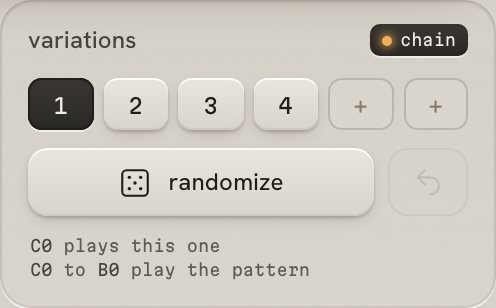
Each variation keeps its own pads and pattern. Switch between them as it plays, from the keys C0 to F0, or turn on chain and carve plays the saved ones one bar each. Randomize writes a new pattern and leaves the pads alone; revert steps back through the last three.
Each pad plays its moment in one of four ways, with its own pitch, level, tone, space and envelope.
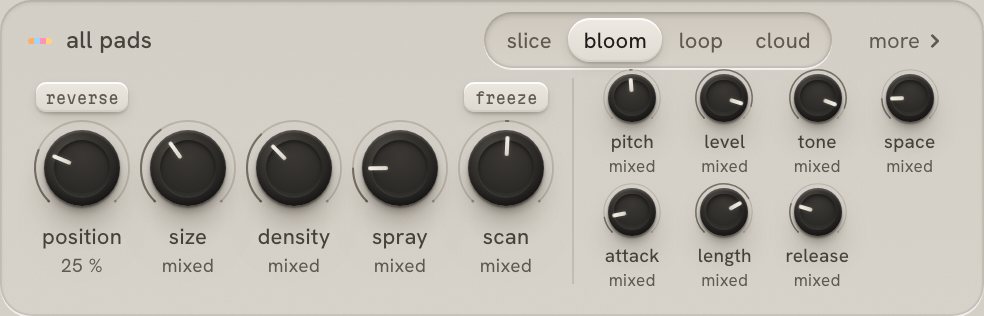
The moment itself, from its start, like a sampler. Set where it starts, reverse it, shape its decay.
The attack as it was recorded, opening into grains that hold for as long as the note does.
A window of the moment repeated, from a slow stutter to a buzz, synced to your song. Ramp speeds it up or slows it down over the note.
Grains only, read around one place in the moment, for as long as you hold the note.
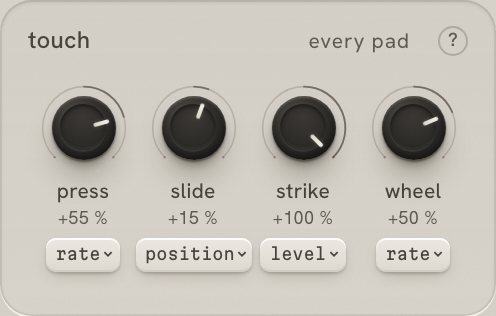
Strike, press, slide and the mod wheel each move one of eight things, by a depth that goes both ways: a loop's rate, position, size, scan, tone, level, space or spread.
Turn the sound on, click the interface, then play the pads with the keys a to p and start the pattern with space. This is a browser demo; the plug-in runs in your DAW.
On a touch screen, tap the interface to open the demo.
Try carve in your own music for 14 days, with every feature. Then €99, with every update free.
VAT included in Europe. In the US and Canada, sales tax is added at checkout.
Paddle, our reseller, takes the payment and sends the receipt. Your licence and download arrive by email straight after. Terms.
quiver carve.vst3 folder to C:\Program Files\Common Files\VST3. Rescan your plug-ins and load carve on a MIDI track.Help: support · support@quiver.fm